Intraday Fibonacci Retracement Golden pocket for scalping# Intraday Fibonacci Retracement Golden pocket for scalping
## Overview
This advanced Pine Script indicator provides dynamic Fibonacci retracement levels specifically designed for intraday trading. Using proprietary AI-powered algorithms, the script automatically identifies optimal high and low reference points to generate precise Fibonacci levels that adapt in real-time throughout the trading day.
## Key Features
### 🎯 Dynamic Level Generation
- **Intelligent Auto-Detection**: Advanced algorithm automatically identifies key price levels using machine learning-based pattern recognition
- **Real-Time Updates**: Fibonacci levels dynamically adjust as new highs or lows are established during the session
- **Seven Core Levels**: 0% (LOD), 23.6%, 38.2%, 50%, 61.8%, 78.6%, and 100% (HOD)
### 📊 Visual Customization
- **Individual Level Control**: Show or hide any Fibonacci level independently
- **Custom Color Schemes**: Assign unique colors to each retracement level for easy identification
- **Adjustable Line Width**: Choose line thickness from 1-5 pixels for optimal chart clarity
- **Professional Labeling**: Each level displays both percentage and exact price value
### 🏆 Golden Zone Highlighting
- **Automated Zone Detection**: Automatically highlights the critical 50%-61.8% retracement zone
- **Visual Emphasis**: Shaded area between these key levels for quick visual reference
- **Customizable Transparency**: Adjust the golden zone color and opacity to match your chart theme
### 🔧 Flexible Configuration Options
#### Label Management
- **Master Toggle**: Instantly show or hide all labels with a single switch
- **Individual Label Control**: Selective visibility for each Fibonacci level label
- **Custom Label Colors**: Choose distinct colors for each label to match your trading style
- **Price Display Format**: Labels show percentage and corresponding price level
#### Level Visibility
Independent toggles for each retracement level:
- 0% (Low of Day)
- 23.6% Retracement
- 38.2% Retracement
- 50% Retracement (Midpoint)
- 61.8% Retracement (Golden Ratio)
- 78.6% Retracement
- 100% (High of Day)
### 📈 Trading Applications
**Support & Resistance**
- Identify potential reversal zones
- Spot key support and resistance levels
- Plan entry and exit points
**Price Targets**
- Set realistic profit targets based on Fibonacci extensions
- Identify potential pullback levels in trending markets
**Risk Management**
- Place stop losses at strategic Fibonacci levels
- Calculate risk-to-reward ratios using multiple levels
**Golden Zone Strategy**
- Focus on the 50%-61.8% zone for high-probability trade setups
- The golden ratio area often acts as a strong confluence zone
### 🔔 Built-in Alert System
Pre-configured alert conditions for critical price level crossings:
- 38.2% level cross
- 50% level cross (equilibrium)
- 61.8% level cross (golden ratio)
### 💡 Best Practices
**Optimal Usage**
- Works on all intraday timeframes (1min, 5min, 15min, 30min, 1hour)
- Most effective during active trading sessions
- Combine with volume analysis for confirmation
- Use alongside other technical indicators for confluence
**Chart Setup Tips**
- Adjust colors to ensure levels are visible against your chart background
- Use thicker lines on higher timeframes for better visibility
- Enable only the levels most relevant to your trading strategy
- Customize label colors to differentiate between key levels quickly
## Technical Specifications
**Performance Features**
- Maximum 500 lines supported for extensive historical analysis
- Maximum 500 labels for comprehensive price level identification
- Optimized calculations for minimal chart lag
- Real-time updates with every price tick
**Compatibility**
- Pine Script Version 6
- Compatible with all TradingView chart types
- Works across all markets (Stocks, Forex, Crypto, Futures, Options)
- Supports all timeframes from 1-minute to daily
## Installation & Setup
1. Copy the script code into TradingView Pine Editor
2. Click "Add to Chart" to apply the indicator
3. Access settings via the indicator's gear icon
4. Customize colors, labels, and visibility options to your preference
5. Save your configuration as a default template for future use
## Advanced Configuration
**For Clean Charts**
- Disable labels for a minimalist view
- Show only 50% and 61.8% levels for focused trading
- Use muted colors with higher transparency
**For Detailed Analysis**
- Enable all levels and labels
- Use high-contrast colors for each level
- Increase line width for emphasis
**For Specific Strategies**
- Mean reversion traders: Focus on 38.2%, 50%, 61.8%
- Breakout traders: Monitor 0% and 100% levels closely
- Scalpers: Use golden zone exclusively with tight stops
## Algorithm Intelligence
The indicator employs sophisticated algorithms to:
- Automatically calculate optimal reference points
- Adapt to changing market conditions
- Filter out noise and false signals
- Provide consistent, reliable level placement
This ensures that traders receive accurate, actionable Fibonacci levels without manual intervention or subjective placement decisions.
🎁 Free Trial Access
Interested in trying this indicator?
I'm offering a ONE MONTH FREE TRIAL to help you experience the power of dynamic Fibonacci levels in your trading.
To request your trial access:
Send me a Direct Message (DM) on TradingView
Include "Fib Trial Request" in your message
I'll respond with access instructions within 24 hours
This trial includes:
✅ Full access to all indicator features
✅ All customization options unlocked
✅ Priority support during trial period
✅ Setup assistance and configuration help
Don't miss this opportunity to enhance your intraday trading with professional-grade Fibonacci analysis!
📞 Author's Notes
For questions, feedback, or trial access requests, feel free to reach out via DM. I'm committed to helping traders succeed and continuously improving this tool based on user feedback.
Happy Trading!
---
**Disclaimer**: This indicator is a technical analysis tool. Past performance does not guarantee future results. Always use proper risk management and combine with other forms of analysis for trading decisions.
Options

Key Levels: Monday / Weekly / Monthly + Year/Quarter + LiquidityKey Levels: Monday / Weekly / Monthly / Year / Quarter + Liquidity

Options Gamma Surface 3DOANDA:XAUUSD
Features :
📊 3D Gamma Surface
X-axis: Strike Price
Y-axis: Days to Expiry
Z-axis: Gamma Value
🏔️ Mountain Visualization
Displays the 3D surface of the Gamma value.
The Highest Gamma forms the Peak (mountain top).
Color Gradient based on Gamma height
Grid wireframe displays the structure.
🚩 Flag on Peak Gamma
A flag is planted on the point of Maximum Gamma.
Displays the Strike Price and Days to Expiry for that point.
🏷️ Strike Labels
Displays Strike Prices on the surface.
Strike Prices near ATM (At-The-Money) are colored Gold.
Other Strikes are colored Blue.
📈 Greeks Table (Right Panel)
Displays all Greeks at ATM: Price, Delta, Gamma, Vega, Theta.
Displays Parameters: IV, Days, Risk-Free Rate.
Displays the Peak Gamma point and its value.
⚙️ Customization Options
Options Parameters: Set Strike Range, IV, Days, Risk-Free Rate.
Camera: Rotate the view with Yaw/Pitch, adjust X/Y/Z Scale.
Grid/Surface: Turn On/Off Wireframe, Surface fill.
Color Palette: Select your preferred color theme.
The surface clearly shows where Gamma is highest, which is usually at ATM (At-The-Money) and with intermediate Days to Expiry. This is ideal for Options Traders who want to visualize their Gamma Exposure! 🚀

Index Top 5 Heavyweight Analyzer## 🎯 Overview
This advanced Pine Script indicator applies the **Pareto Principle** to Nifty 50 trading: the top 5 heavyweights control 40%+ of the index's movement. Instead of watching all 50 stocks, this tool monitors the "Kings" that actually drive the index direction.
Professional traders don't trade the index in isolation - they look "under the hood" at heavyweight constituents. This indicator does exactly that, providing real-time analysis of HDFC Bank, Reliance, ICICI Bank, Bharti Airtel, and TCS to predict Nifty movements before they happen.
## 🔥 Key Features
### 1️⃣ Four-Quadrant OI Cycle Analysis
Identifies which cycle each heavyweight is in using Open Interest from continuous futures contracts:
- **Long Buildup** (Price ↑ + OI ↑): Institutions buying aggressively → Bullish driver
- **Short Covering** (Price ↑ + OI ↓): Bears trapped and exiting → Fast bullish spike
- **Short Buildup** (Price ↓ + OI ↑): Big money shorting → Bearish drag
- **Long Unwinding** (Price ↓ + OI ↓): Buyers giving up → Index weakness
### 2️⃣ Alignment Score System
Counts how many of the top 5 stocks are bullish/bearish/neutral. When 3+ heavyweights align in the same direction with sufficient weightage (15%+), the indicator generates high-conviction trade signals for the Nifty index.
### 3️⃣ Cost of Carry (Basis) Analysis
Compares Future vs Spot prices to gauge institutional sentiment:
- **Rising Premium**: Aggressive institutional buying
- **Discount (Backwardation)**: Extreme bearishness
### 4️⃣ Divergence Detection
Warns when the index move contradicts heavyweight signals - identifying "fake moves" that professional traders fade.
### 5️⃣ Actionable Trade Signals
- **Strong Bullish**: Buy Index Calls / Long Nifty Future
- **Strong Bearish**: Buy Index Puts / Short Nifty Future
- **Neutral/Choppy**: Iron Condor / Avoid Directional trades
## 📈 What Makes This Different?
Unlike basic index indicators, this tool:
- Fetches real Open Interest data from continuous futures (RELIANCE1!, HDFCBANK1!, etc.)
- Applies weighted analysis - top 3 stocks matter most
- Provides professional trade recommendations based on constituent alignment
- Uses dark theme optimized colors for extended screen time
- Displays comprehensive dashboard with price, OI, OI change %, cycle status, and basis
## 💡 How to Use
1. **Add to any Nifty 50 or Bank Nifty chart**
2. **Watch the dashboard** in the top-right corner showing all 5 heavyweights
3. **Check the ALIGNMENT row**:
- 🔼 Bull Count | 🔽 Bear Count | ➖ Neutral Count
- Weighted Bull/Bear scores
4. **Read the INDEX SIGNAL row** for trade recommendations
5. **Look for divergence warnings** (⚠️) indicating fake moves
6. **Use the histogram plot** to visualize signal strength over time
## ⚙️ Customizable Settings
- **Constituents**: Modify ticker symbols and weightages
- **Signal Thresholds**: Adjust minimum alignment required (default: 3 out of 5)
- **Display Options**: Toggle table, signals, and basis calculations
- **Timeframe**: Works on all timeframes (intraday and daily)
## 🎨 Dark Theme Optimized
Designed specifically for TradingView's dark mode with:
- High-contrast colors that reduce eye strain
- Bright lime green (#00E676) for bullish signals
- Bright red (#FF5252) for bearish signals
- Electric colors for easy pattern recognition
## 📊 Best Used For
- **Nifty 50 Options Trading**: Know whether to buy calls or puts
- **Index Futures Trading**: Identify high-probability directional moves
- **Risk Management**: Avoid trading when heavyweights show divergence
- **Market Timing**: Enter when top stocks align (3+ in same direction)
## 🚀 Pro Tips
- **"Double Engine" Signal**: When Reliance shows Long Buildup AND HDFC Bank shows Short Covering → Extremely bullish for Nifty
- **Sector Rotation**: If Banks are strong but Tech is weak (or vice versa) → Expect choppy, range-bound index
- **Rollover Analysis**: Near expiry, watch for high OI with rising basis → Bulls/Bears carrying positions forward with confidence
## ⚠️ Important Notes
- Requires TradingView Premium for multiple `request.security()` calls
- OI data available only for stocks with active futures
- Best used on NSE exchange during market hours
- Combine with your own risk management strategy
## 📝 Credits
Based on professional institutional trading methodologies that analyze index constituents rather than the index itself. Implements the Pareto Principle: focus on the 20% (top 5 stocks) that drives 80% of the index movement.
***
## 🔔 Alerts Available
- Strong Bullish Signal (3+ stocks aligned bullish)
- Strong Bearish Signal (3+ stocks aligned bearish)
- Divergence Warning (fake index moves)
**Made for serious traders who want to trade like institutions - by watching what the "smart money" is doing in the heavyweights.**
***
*Optimize your Nifty trading by monitoring the stocks that actually matter. Stop watching all 50 - focus on the 5 Kings!* 👑
***
**Tags**: Nifty, Open Interest, OI Analysis, Heavyweight Analysis, Index Trading, Options Trading, Futures Trading, Institutional Analysis, Smart Money, Pareto Principle


RSI SFP + flexi TP/SL + WT JSON bot RSI SFP + Smart TP/SL + Auto-Trading JSON for WunderTrading
Precision reversal detection for fully automated long/short execution
RSI SFP is a next-generation reversal detection engine combining market structure (Swing Failure Pattern) with RSI divergence confirmation.
It is designed for professional users who require fast, non-repainting, and broker-integrated signals that can be used for automation.
This Invite-Only script offers:
🔷 Core Features
✔ Real-time SFP detection (no candle close required)
The algorithm triggers as soon as price touches previous swing high/low and RSI forms a confirmed divergence.
Ideal for users who want the earliest, most reactive entries.
✔ RSI Divergence Engine
Bullish RSI divergence at prior lows
Bearish RSI divergence at prior highs
Adjustable divergence threshold (RSI difference)
Ultra-low latency decision logic
✔ Smart TP/SL Automation
TP = ±1% fixed profit from entry (configurable)
SL based on swing structure or user-defined %
TP/SL displayed visually on the chart
No repainting once triggered
✔ Full Backtesting Module
Tracks wins/losses across last N trades
Displays monthly statistics (last 4 months)
Tracks estimated P&L using user leverage model
Built-in visual tags for every TP / SL hit
✔ Integrated Auto-Trading for WunderTrading
When enabled, the indicator automatically sends structured JSON signals through TradingView alerts.
Supported actions:
Enter Long
Enter Short
Exit All
Each entry includes:
Market order
Position size based on capital & leverage
Exchange-level TP & SL placement
Your bot on WunderTrading can mirror the exact chart signals in real time.
🔷 Use Cases
Full automation using TradingView → Webhook → WunderTrading
Intraday reversal trading
Swing trading
Multi-exchange automated bot execution
Reversal scalping with tight stops
🔷 Important Notes
This indicator does not repaint after signal confirmation.
Real-time signals may flash while the candle is forming (normal for non-close divergence detection).
Only Invite-Only users can access the script.
No source code is shared.
If you want access, please message me directly on TradingView.
A full setup guide, alerts template, and WT bot configuration are included for subscribers.
🇨🇳 中文版(专业销售版)
RSI SFP + 智能 TP/SL + WunderTrading 自动交易 JSON 引擎
专为自动化反转交易打造的实时 SFP + RSI 背离策略
RSI SFP 指标将 Swing Failure Pattern(SFP 假突破结构)与 RSI 背离进行整合,
用于捕捉极早期的反转机会。
本脚本专为需要 实时、无重绘、可自动化执行 的专业交易者设计。
这是一个 Invite-Only(仅邀请)脚本,专供订阅用户授权使用。
🔷 核心功能
✔ 实时信号(不需要 K 线收盘)
只要价格触及前高/前低 + RSI 背离确认,
立即给出 Long / Short 反转信号,属于极短延迟结构逻辑。
✔ 高级 RSI 背离系统
价格 vs RSI 顶背离
价格 vs RSI 底背离
最小 RSI 差值可调
精准且稳定,不重绘
✔ 智能 TP / SL 自动管理
固定 TP = ±1%(可调)
SL 支持 swing 结构或固定百分比
图表上自动绘制 TP/SL 虚线
信号一旦触发后不重绘
✔ 强大回测统计系统
可追踪最近 N 笔交易
最近 4 个月的月度统计
盈亏汇总表(含杠杆模型)
每次 TP/SL 都自动标注在图表上
✔ 内置 WunderTrading 自动化 JSON
启用后,指标会自动通过 TradingView Alerts → Webhook
向 WT 机器人发送标准化 JSON:
开多(Enter Long)
开空(Enter Short)
全部平仓(Exit All)
并自动包含:
市价下单
杠杆
手数
TP/SL 自动挂单
完全同步图表上的信号。
🔷 适用人群
想要全自动交易(TV → WT → 交易所)
反转交易 / SFP 策略
日内 / 轻量级高频反转
Swing 反转捕捉
需要稳定 TP/SL 的量化用户
🔷 注意事项
信号不会在收盘后重绘,但在 K 线形成中可能闪烁(实时逻辑正常现象)
脚本为 Invite-Only 私密指标,源码不会公开
订阅用户可随时获得使用授权
提供详细 WT 机器人设置教程
如需访问权限,请通过 TradingView 私信联系我。
订阅用户将获得完整的使用指南与设置模板。

SPY Scalping Mobile Compact v3 - Ben PhamUse this Spy Scalping Mobile Compact toolkit as handrail to climb up or down the stair. It help you visualize market trend clearly on those SMA line 5/8/13. First rule of entry is wait for all 3 MA lines start to separate and above vwap line for call, below for put, confluence with RSI > 50 for call, <50 for put. Second rule of entry is NEVER chase on first breakout candle, ALWAYS wait for pull back into SMA 8 or 13 with wick touch the line but candle closed back to confirmed direction. Stop loss if candle closed other side of SMA 13 line. If position turn green, use SMA 5 (blue) or SMA 8 (yellow) to trail for max profit. Only exit after candle body show smaller / doji or when blue line curve into yellow line. Best to use this indicator with my other Multi Time Frame Bias indicator for confirming entry with level of confidence.
Default color code lines:
- Blue – SMA 5, Yellow SMA 8, Red SMA 13, Purple VWAP
- Horizontal lines: Green – Opening range high, Red – Opening range low
Teal – premarket high and low
Orange thick – previous day high and low
- Red dots line – equal high, green dots line – equal low

Institutional Orderflow - CT Institutional Orderflow - CT
Overview
This indicator translates VIX futures dynamics into equity price implications, revealing institutional hedging flows and vol pricing's gravitational pull on price, where overpriced volatility signals compression and upside support, while underpriced levels flag expansion risks and downside pressure.
It maps VX deviations to equity levels via historical correlations, anchored by the Bull Bear Bias (BBB), a contango midpoint concept from Matt Cowart at Rocketscooter that sets VX1! fair value as the midpoint between front-month (VX1!) and second-month (VX2!) contracts at monthly rolls.
VX itself quantifies the distribution of options strikes around the underlying price over time, essentially the market's priced-in dispersion of potential outcomes, tied to expiration distance, with volatility inversely proportional to liquidity (fewer transactions in high-vol environments reduce flow and amplify moves).
Interpretation
- VX1! (Front-Month VIX Futures) : Gauges 30-day (±7 days, or 23-37 days to expiration) SPX implied volatility via forward options pricing, capturing medium-term hedging landscapes. Dealers, managing gamma exposure from longer-dated options, hedge by delta-adjusting underlying positions; rising VX1! reflects widening strike distributions (higher fear), prompting protective equity sales that pressure prices; falls toward BBB indicate narrowing distributions (calm), easing hedges and fostering liquidity-driven rallies as transaction frequency rises.
- VIX1D (1-Day Expected Volatility) : Focuses on ultra-short-dated (e.g., 0DTE) P.M.-settled options, measuring immediate strike clustering and gamma intensity near expiration. Closer-dated options heighten dealer sensitivity; spikes signal concentrated hedging bursts, eroding liquidity and fueling intraday volatility with sharp price reversals; declines promote hedging unwind, boosting transaction flow and short-term stability.
- VVIX (Volatility of VIX) : Assesses the implied volatility of VIX options (the "vol of vol"), revealing uncertainty in the vol forecast itself. Elevated VVIX denotes aggressive dealer repositioning across VIX strikes, forecasting erratic VX swings and reduced equity liquidity; subdued levels imply stable distributions, enhancing flow and trend persistence. BBB projections adjust dynamically: low VVIX (<80) constrains overshoots for reversion trades, while high (>110) expands them amid panic hedging.
- BBB Relationship : VX1! above BBB highlights over-distributed (expensive) vol, where dealers unwind hedges as time decays, inverting low liquidity into upside momentum; below BBB warns of under-distributed (cheap) vol, with sparse transactions amplifying expansion risks. Shorter tenors (VIX1D) drive tactical, gamma-fueled price action, contrasting VX1!'s strategic horizon, with VVIX scaling the intensity.
Key Features
- Target Line (Anchored) : Locks at swing violations as enduring support (green, below price) or resistance (red, above), fusing BBB's vol equilibrium with technical anchors to spotlight dealer hedge confluences in strike distributions.
- Magnet Line (Dynamic) : Mirrors live VX1!/BBB shifts, plotting "implied fair" price (blue above for unwind pull; orange below for hedge drag), linking term structure evolution to liquidity-driven gravity.
- Fear Scenario Line : Forecasts price erosion from a 10%+ VX1! surge above BBB, calibrated by VVIX for vol-of-vol amplification, defining dealer panic thresholds where low-liquidity spikes cascade.
- Overshoot Projection : Predicts interim extensions past targets, modulated by VIX1D (near-term gamma flares) and VVIX (distribution uncertainty), relating expiration proximity to heightened swings before time-decay reversion.
- Candle Coloring and SMA Trends : Tracks near-term VX1!/VVIX/VIX1D flows via gradient-colored candles (strong/medium/weak bullish/bearish based on SMA deviations), visualizing realtime options dynamics; green shades signal hedging unwind (rising liquidity, upside bias), red indicates expansion (dealer sales, downside drag). Recommended: VX1! Trend for long-term confluences (Tue-Thu swings); VIX1D Trend or VX1! + VIX1D for short-term (Mon/Fri scalps); add VVIX for regime shifts.
- Swing Boxes : Denote aggressive VX spikes (fear hedging bets) or de-escalations (position realizations), highlighting gamma-driven reversals where dealers rebalance, often preceding liquidity surges or drains in price action.
- Table Metrics : Condenses VX1!/BBB skew, VVIX regimes, VIX1D pulses, and contango cues, correlating options tenor gradients to price flow and hedging mechanics.

NIFTY 50 CE/PE Signals (NIFTY 5m Intraday)This script is designed to based on the various parameters to generate most accurate buy and sell signal for NIFTY Option Trading with a win rate of over 60 percent. Always manage your risk . Nothing is guaranteed in market


VaCs Pro Max by CS (Final Version - V9)VaCs Pro Max by CS (Final Version - V9) – TradingView Indicator Overview
Introduction:
The VaCs Pro Max indicator is a comprehensive, all-in-one technical analysis tool designed for traders who seek a clear, visual, and flexible overview of market trends, levels, sessions, and key signals. This advanced TradingView script integrates multiple technical indicators, market level trackers, session visualizations, and the innovative AlphaTrend module to provide actionable insights across any timeframe.
1. Technical Indicators:
This module combines essential trend-following and market momentum tools:
VWAP (Volume Weighted Average Price): Shows the average price weighted by volume, helping traders identify key support/resistance levels. Customizable color allows easy chart visibility.
EMAs (Exponential Moving Averages): Two EMAs (fast and long) track short-term and long-term price trends. Traders can adjust lengths and colors for personalized analysis.
Parabolic SAR: Highlights potential trend reversals with dots above/below candles. Step and maximum settings allow fine-tuning for sensitivity.
S2F Bands (Stock-to-Flow): A dynamic band system representing mid, upper, and lower levels derived from EMA. Useful for identifying overbought/oversold zones.
Logarithmic Growth Channel (LGC): Provides logarithmic regression channels, highlighting long-term price structure and growth trends. Adjustable length and band colors.
Linear Regressions: Two regression lines (short and long) detect trend directions and deviations over customizable periods.
Liquidity Zones: Highlights recent highs/lows over a defined lookback period, showing potential support/resistance clusters.
SMC Markers (Swing Market Context): Marks pivot highs and lows using visual labels, helping identify swing points and trend continuation patterns.
2. Market Levels:
Track weekly and Monday high/low levels for precise intraday and swing trading decisions:
Weekly Levels: Highlight the previous week’s high and low for reference.
Monday Levels: Focus on the day’s opening range, particularly useful for weekly breakout strategies.
3. Session Boxes (UTC):
Visual boxes mark major trading sessions (London, New York) in UTC time:
London Session Box: Highlights market activity between 08:00–16:30 UTC.
New York Session Box: Highlights market activity between 13:30–20:00 UTC.
Boxes automatically adjust to session highs and lows for clear intraday structure visualization.
4. Vertical Session Lines (Turkey Time – UTC+3):
These vertical lines provide an easy-to-read visualization of key market opens and closes:
US (NYSE), EU (LSE), JP (TSE), CN (SSE) lines: Color-coded and labeled, showing market opening and closing times in Turkish local time.
Ideal for identifying session overlaps and liquidity spikes.
5. AlphaTrend Module:
The AlphaTrend module is a dynamic trend-following system offering both visual guidance and trade signals:
Trend Calculation: Uses ATR and RSI/MFI logic to determine dynamic trend levels.
Signals: Generates BUY and SELL markers based on trend crossovers.
Customizable Settings: Multiplier, period, source input, and volume data modes allow tailored sensitivity.
Visuals: Filled areas between main and lag lines highlight trend direction, making it easy to interpret market bias at a glance.
Alerts: Includes multiple alert conditions such as potential and confirmed BUY/SELL, and price crossovers, suitable for automated notifications.
Usage & Benefits:
All modules have on/off toggles in the input panel, allowing users to customize the chart view without losing performance.
Color-coded visuals, session boxes, and trend channels improve readability, especially during high volatility.
Suitable for day trading, swing trading, and long-term analysis due to multi-timeframe adaptability.
The combination of trend indicators, liquidity zones, and session analysis provides a holistic view of market structure.
Alerts enable traders to automate monitoring without constantly staring at the chart.
Conclusion:
VaCs Pro Max by CS (V9) is designed for both professional and semi-professional traders who want an all-inclusive, visually intuitive, and highly configurable TradingView indicator. It merges classical technical indicators with modern trend and session analysis tools, making it an indispensable tool for informed trading decisions.

GEX Crypto LevelsGEX Crypto Levels - Professional Options Flow Visualization
This indicator displays real-time Gamma Exposure (GEX) levels and key options metrics for major cryptocurrencies directly on your TradingView charts.
What This Indicator Shows:
Call Wall: The strongest resistance level where call option gamma is concentrated (red solid line)
Put Wall: The strongest support level where put option gamma is concentrated (teal solid line)
HVL (High Volume Level): The price level with highest options trading activity (orange solid line)
GEX Strike Levels: Additional significant gamma exposure levels displayed as dashed red lines
Supported Cryptocurrencies:
The indicator automatically detects your chart symbol and displays the corresponding levels for:
BINANCE:BTCUSDT (Bitcoin)
BINANCE:ETHUSDT (Ethereum)
BINANCE:SOLUSDT (Solana)
BINANCE:XRPUSDT (Ripple)
BINANCE:BNBUSDT (Binance Coin)
BINANCE:DOGEUSDT (Dogecoin)
A fallback input is available for other symbols.
How It Works:
This indicator requires data from an external GEX data provider. To use it:
Visit our GEX provider's dashboard website (see the Invite-Only description)
Locate the "TV Export" or "TradingView Export" button for your desired cryptocurrency
Copy the export string to your clipboard
Paste it into the corresponding input field in the indicator settings
The indicator automatically parses and visualizes all levels on your chart
The data format is standardized and contains Call Wall, Put Wall, HVL, and strike-level information in a single copy-paste string.
Customization Options:
Adjustable line widths for GEX levels
Customizable label positioning (offset from current price action)
Separate offset controls for wall labels and GEX strike labels
Trading Application:
Gamma exposure levels often act as magnetic price zones where:
Call walls typically represent resistance where price may stall or reverse
Put walls typically represent support where price may find buyers
HVL shows where the market has the most positional interest
Multiple GEX strikes indicate areas of potential volatility compression or expansion
Important Notes:
This indicator requires external data input and does not fetch data automatically
Data must be updated manually by copying new export strings from your provider's website
The indicator is designed for overlay mode on price charts
Visual Design:
Clean styling with color-coded levels
Right-aligned labels that stay visible as price action develops
Dashed lines for GEX strikes to differentiate from wall levels
Extended lines that project across the entire chart
This tool is ideal for options-aware traders who want to incorporate institutional gamma positioning into their cryptocurrency trading strategy.
Access Information:
This is an invite-only indicator. Access is restricted and granted selectively. If you are interested in using this indicator please see the Invite-Only description.

MM Expected Move [v6]ATMStraddleNeed Update manually based on ATM Straddle Price
例子:
TradingView 图表界面:将鼠标悬停在名字上,点击出现的齿轮图标 (Settings)。在 "ATM Straddle Price" 这一栏,填入ATM Straddle Price(比如 7.0)。
苹果 (AAPL) 股价 235。
235 Call 价格 = 3.5
235 Put 价格 = 3.5
输入数字 = 7.0

QX Expert Imtiazz 3.0.4 ProMade For Binary 1 Munite
This indicator combines QQA, EMA trend filters, volume strength, and liquidity zone detection to create a powerful trading system. It analyzes market momentum using QQA, confirms trend direction with EMA, and identifies key liquidity areas where price often reacts.
The indicator provides Buy and Sell signals based on trend, volume pressure, and liquidity behavior.

Gamma Levels w/AlertsPlots Gamma Levels for identifying Market Positioning. Has alert function on the specific levels.
---To apply to different tickers You Must:
1. apply to chart layout
2. input ticker specific levels
3. Save as an INDICATOR TEMPLATE titled same as ticker (check the remember symbol box)
Now when switching to different tickers, simply open that template

PIVOT BACKGROUND AND TABLE BY PRANOJIT DEYThis shows pivot trend in relation with the day open line. it makes the day bias easily understandable.

Ichimoku Green BG by Pranojit DeyThis indicator shows ichimoku bulliush trend background so that the option buyers can understand bullish trend easily.

[algsc][16STOCH][MLB+MBS][LineBreak+Renko][Price+CVD] ALPHA CONFLUENCE ENGINE — 16×2 Noiseless Multi-Chart Score System (Private)
Proprietary fusion of 16 advanced noiseless chart structures (32 total layers) simultaneously analyzing both pure price momentum and institutional Cumulative Volume Delta flow.
The indicator continuously tracks 16 independent scoring systems across two completely different non-time-based chart engines, delivering a single ultra-clean confluence reading:
• Real-time 4-way score display directly on chart
• Large institutional-grade B / S arrows only when extreme alignment occurs across multiple hidden layers
• Zero repainting · Zero lag · Works on every market and timeframe
This is the same internal confluence tool used in our private trading group — now available as a closed-source, high-precision signal engine.
Strictly limited access. For serious traders only.
products.algscience@gmail.com

Nifty 3m Multi-Filter System (Non-Repainting Trend Signals)Nifty Intraday swing trading in Index options can be used for 3m/5m/15m timeframes for small profits.

Straddle and Strangle Premium (AlgoStraddle)# Straddle and Strangle Indicator
## Overview
The **Straddle and Strangle** indicator is a powerful tool designed for options traders to analyze the combined premium behavior of Straddle and Strangle strategies on Indian indices (NIFTY, BANKNIFTY, FINNIFTY, etc.). Unlike simple premium adders, this indicator visualizes the **combined price action as a true candlestick chart**, allowing for precise technical analysis on the strategy itself.
It integrates essential technical indicators—SuperTrend, VWAP, Moving Averages, and Dynamic Support/Resistance—directly onto the combined premium chart, helping traders make informed decisions based on the net value of their positions.
## Key Features
### 1. Accurate Combined Premium Chart
- **True Candlesticks**: Displays the combined Open, High, Low, and Close of the CE and PE options.
- **Spread Ticker Logic**: Uses TradingView's spread syntax (e.g., `NIFTY25DEC26000C + NIFTY25DEC26000P`) to ensure mathematically accurate High/Low calculations, avoiding the "fake wicks" common in simple addition scripts.
- **Toggle View**: Switch between a clean Candlestick chart and a simple Line chart.
### 2. Comprehensive Premium Table (5-Strike Ladder)
- Displays a real-time table on the chart overlay.
- Shows the **Selected Strike** (Center) plus **2 Strikes Above** and **2 Strikes Below**.
- For each strike, view the individual **CE Price**, **PE Price**, and **Combined Premium**.
- Helps in quickly spotting better premiums or potential adjustments without changing inputs.
### 3. Built-in Technical Analysis
Analyze the combined premium just like a regular stock:
- **SuperTrend**: Identifies the trend direction (Bullish/Bearish) of the combined premium.
- **VWAP (Volume Weighted Average Price)**: A key benchmark for intraday direction.
- **Moving Averages**: Configurable SMA, EMA, WMA, or RMA to track momentum.
- **ATR Stop Loss**: Dynamic trailing stop-loss levels based on volatility.
- **Dynamic Support & Resistance**: Automatically plots Swing Highs and Swing Lows to identify breakout or breakdown levels.
### 4. Flexible Strategy Selection
- **Fixed Straddle**: Select a single strike for both CE and PE.
- **Fixed Strangle**: Select different strikes for CE and PE.
- **Multi-Index Support**: Ready-to-use presets for NIFTY, BANKNIFTY, FINNIFTY, MIDCPNIFTY, SENSEX, and BANKEX.
- **Custom Symbol**: Option to manually input any other symbol.
## How to Use
1. **Select Chart Type**: Choose between "Fixed Straddle" or "Fixed Strangle".
2. **Set Symbol & Expiry**: Choose your index (e.g., NIFTY) and enter the Expiry Date (YYYY-MM-DD).
3. **Enter Strikes**:
* For **Straddle**: Enter the ATM strike.
* For **Strangle**: Enter the specific CE and PE strikes.
4. **Analyze**:
* Use the **Candlestick Chart** to read price action.
* Watch for **SuperTrend** flips for trend changes.
* Use **VWAP** as a dynamic support/resistance reference.
* Monitor the **Table** to compare premiums across nearby strikes.
## Alerts
The indicator includes built-in alert conditions for automation:
- **SuperTrend Change**: Bullish/Bearish flips.
- **VWAP Cross**: Price crossing above or below VWAP.
- **Support/Resistance Break**: Price breaking key swing levels.
---
*Designed for precision options analysis.*

Liquidity Spectrum Visualizer (with option volume)This the Liquidity Spectrum Visualizer from BigBeluga, BUT, I took the script and changed it a little bit.
I added the ability to add option volume for a contract of your choosing. You can turn this off with a toggle switch.
If you are looking at option volume, its better to look at it on a smaller time frame (i.e., 15-min).

Straddle and Strangle Premium# Straddle and Strangle Indicator
## Overview
The **BCA Fixed Straddle and Strangle** indicator is a powerful tool designed for options traders to analyze the combined premium behavior of Straddle and Strangle strategies on Indian indices (NIFTY, BANKNIFTY, FINNIFTY, etc.). Unlike simple premium adders, this indicator visualizes the **combined price action as a true candlestick chart**, allowing for precise technical analysis on the strategy itself.
It integrates essential technical indicators—SuperTrend, VWAP, Moving Averages, and Dynamic Support/Resistance—directly onto the combined premium chart, helping traders make informed decisions based on the net value of their positions.
## Key Features
### 1. Accurate Combined Premium Chart
- **True Candlesticks**: Displays the combined Open, High, Low, and Close of the CE and PE options.
- **Spread Ticker Logic**: Uses TradingView's spread syntax (e.g., `NIFTY25DEC26000C + NIFTY25DEC26000P`) to ensure mathematically accurate High/Low calculations, avoiding the "fake wicks" common in simple addition scripts.
- **Toggle View**: Switch between a clean Candlestick chart and a simple Line chart.
### 2. Comprehensive Premium Table (5-Strike Ladder)
- Displays a real-time table on the chart overlay.
- Shows the **Selected Strike** (Center) plus **2 Strikes Above** and **2 Strikes Below**.
- For each strike, view the individual **CE Price**, **PE Price**, and **Combined Premium**.
- Helps in quickly spotting better premiums or potential adjustments without changing inputs.
### 3. Built-in Technical Analysis
Analyze the combined premium just like a regular stock:
- **SuperTrend**: Identifies the trend direction (Bullish/Bearish) of the combined premium.
- **VWAP (Volume Weighted Average Price)**: A key benchmark for intraday direction.
- **Moving Averages**: Configurable SMA, EMA, WMA, or RMA to track momentum.
- **ATR Stop Loss**: Dynamic trailing stop-loss levels based on volatility.
- **Dynamic Support & Resistance**: Automatically plots Swing Highs and Swing Lows to identify breakout or breakdown levels.
### 4. Flexible Strategy Selection
- **Fixed Straddle**: Select a single strike for both CE and PE.
- **Fixed Strangle**: Select different strikes for CE and PE.
- **Multi-Index Support**: Ready-to-use presets for NIFTY, BANKNIFTY, FINNIFTY, MIDCPNIFTY, SENSEX, and BANKEX.
- **Custom Symbol**: Option to manually input any other symbol.
## How to Use
1. **Select Chart Type**: Choose between "Fixed Straddle" or "Fixed Strangle".
2. **Set Symbol & Expiry**: Choose your index (e.g., NIFTY) and enter the Expiry Date (YYYY-MM-DD).
3. **Enter Strikes**:
* For **Straddle**: Enter the ATM strike.
* For **Strangle**: Enter the specific CE and PE strikes.
4. **Analyze**:
* Use the **Candlestick Chart** to read price action.
* Watch for **SuperTrend** flips for trend changes.
* Use **VWAP** as a dynamic support/resistance reference.
* Monitor the **Table** to compare premiums across nearby strikes.
## Alerts
The indicator includes built-in alert conditions for automation:
- **SuperTrend Change**: Bullish/Bearish flips.
- **VWAP Cross**: Price crossing above or below VWAP.
- **Support/Resistance Break**: Price breaking key swing levels.
---
*Designed for precision options analysis.*

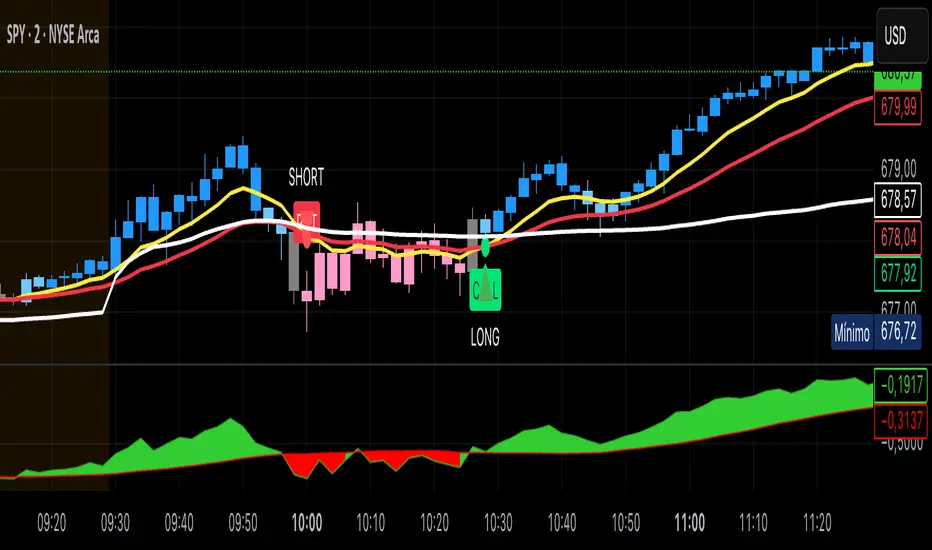
Kai GoNoGo 2mKai GoNoGo 2m is a multi-factor trend confirmation system designed for fast intraday trading on the 2-minute chart.
It combines EMAs, MACD, RSI and ADX through a weighted scoring model to generate clear Go / NoGo conditions for both CALL (long) and PUT (short) setups.
The indicator paints the candles with pure colors to show the current strength of the trend:
Strong Go (Bright Blue): Full bullish alignment across EMAs, momentum and trend strength.
Weak Go (Light Blue): Bullish structure but with softer momentum.
Weak NoGo (Light Pink): Bearish structure starting to develop.
Strong NoGo (Bright Pink): Full bearish alignment across all components.
Neutral (Gray): No trend, compression or transition phase.
Components included:
EMA Trend Structure (9/21/50/100/200)
MACD Momentum (12-26-9)
RSI Confirmation (14)
ADX Trend Strength Filter via DMI (14,14)
Scoring system inspired by the original GoNoGo concept, improved for speed-based trading.
Designed for:
Scalping, 0DTE options, FAST trend continuation entries, and momentum confirmation on QQQ, SPY, NQ, ES and high-beta names.
This version uses pure colors (no gradients) for maximum clarity when trading fast charts.